New to sight loss? You don’t have to figure out the technology alone.
If you have recently lost your sight — or you have lived with blindness for years but technology never felt reachable — this page is for you. One-on-one coaching, taught by a blind trainer, starting with the thing you probably need most: your phone.
Rather just talk to a person? Call +1 (416) 936-9369.
Everything feels harder right now. That is normal — and it is temporary.
When sight goes, the everyday tools of life — the phone, messages, email, banking, forms — suddenly feel locked. It is easy to believe the lock is permanent. It isn’t. Modern phones and computers speak, magnify and respond to your voice, and blind people use them all day, every day, for everything. What stands between you and that ordinary independence is not ability. It is simply training nobody has offered you yet — patiently, in the right order, at your pace.
That is what this coaching is. Not a course you have to keep up with, and never a test. Just one skill at a time, practised together until it feels ordinary — because ordinary is the goal.
How we start
-
A free conversation
We talk — about where things stand, what you most want to be able to do again, and what feels most urgent. No commitment, no jargon, no pressure. Family are welcome on the call.
-
Your phone first
Making and answering calls, knowing who is calling, messages, and your voice assistant — on iPhone or Android — the essentials that reconnect you to everyone, usually in the very first sessions.
-
Everyday life, back
Email, the web, reading letters and documents with scanning apps, entertainment, and doing things online carefully and safely — including banking and shopping, with the safety habits that matter. Meta smart glasses can join in here too — calls hands-free, print read aloud, and a description of what is around you.
-
Work and study tools
When you are ready: JAWS or NVDA on a Windows computer, VoiceOver on a Mac, TalkBack on an Android phone or tablet, documents, spreadsheets, video calls — the toolkit for a job, a course, or your own business.
Still have some usable vision?
Then we start with what you can see. Coaching for low vision begins with magnification: bigger, bolder text on your phone and computer, contrast and display settings that make reading easier, and the magnifiers built into your devices — Zoom on Apple, Magnifier on Windows, magnification and Select to Speak on Android — used fluently, not just switched on. For many people, that is enough for a long time. And if your vision changes, we add speech — a screen reader — gradually, at your pace, while magnification still helps. You do not have to be “blind enough” to begin, and you will never be pushed further than your vision requires.
What you’ll be able to do
We organise coaching around your life, not around software names. These are the goals most people start with:
- Stay in touch — calls, messages, and video calls with family and friends.
- Read again — your mail, documents, messages and books, read aloud or in braille.
- Handle money safely — banking and shopping online, with the safety habits that protect you.
- Work and study — documents, email, spreadsheets and video meetings, on the tools your job or course uses.
- Enjoy things — music, radio, podcasts, social media and entertainment.
We start with whichever goal matters most to you — the rest follow in your order, at your pace.
Reading this for someone you love?
Spouses, parents and adult children are often the ones who find this page. Here is what helps most: patience, and letting them do things at their own pace — independence grows by doing, not by having things done for them. You are welcome in the first conversation, and coaching can include showing you the basics too, so you can support without taking over.
The practical questions everyone asks
- How long is a session? Sessions are one-on-one and unhurried, scheduled around your hours and your energy — we stop when you’ve had enough for the day.
- What do I need? To start, just the phone you already have. If we move to a computer later, we’ll talk through what you already own before you buy anything.
- What happens between sessions? Small practice steps on the things we covered — nothing overwhelming, and we revisit anything that didn’t stick. Forgetting is normal; repetition is built in.
- Do I need to be “good with technology”? No. Most people who start coaching have never used a screen reader — that is exactly the starting point this coaching is designed for.
Already started — and want to go further?
This page is written for people at the very beginning, but coaching doesn’t stop there. If you already use a screen reader and want to become genuinely fast and fluent — moving through documents, spreadsheets, email and the web at working speed, mastering your phone’s gestures, settling into a braille display, or switching confidently between JAWS, NVDA and VoiceOver — that is the same one-on-one coaching, aimed higher. Beginners become confident users; confident users become the person colleagues ask for help. Wherever you are on that path, the plan starts from your level, not from page one.
Your trainer
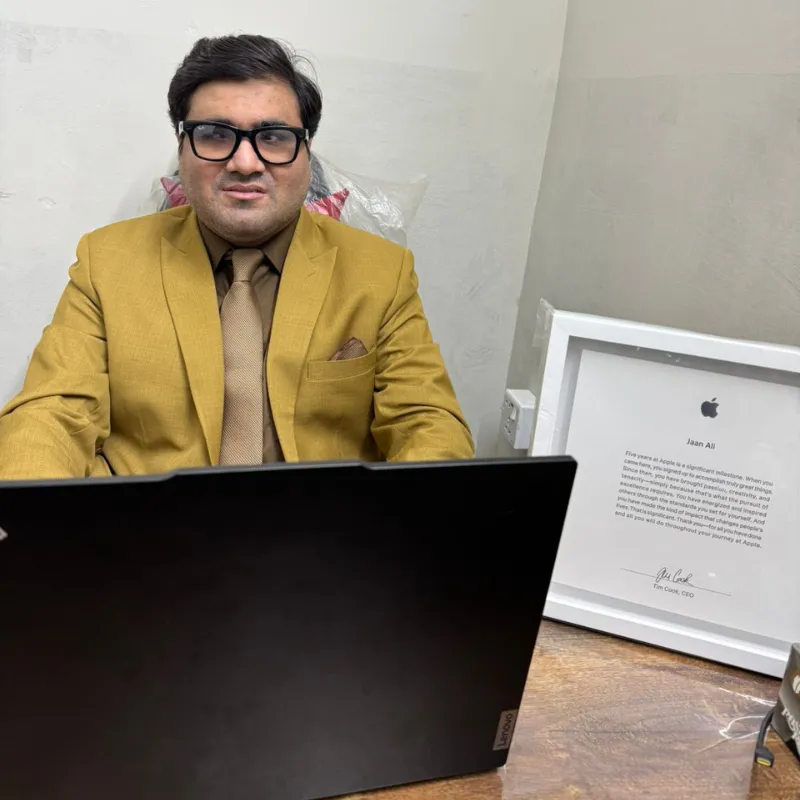
Jaan Ali is a blind/visually impaired professional who uses this technology all day, every day — certified in JAWS by Freedom Scientific, in NVDA by NV Access, and in iOS and macOS by Apple, with years at Apple Canada and TD Bank behind him. Teaching someone their first screen reader is something he does every week, not a side line. He teaches the way he would want to be taught: respectfully, practically, and without pity.
Sessions are one-on-one, by phone or video call, wherever you are — or in person in London, Ontario. Employers and insurers often fund this kind of training as part of a workplace accommodation, and those arrangements are welcome. Every coaching plan begins with the free conversation, and the full cost is confirmed in a written proposal before anything starts.